Choosing between a carton sample maker and a digital die cutter is not only a machine-name decision. The better question is how your packaging workflow works. Do you mainly make one-off box samples for approval, or do you also produce repeated short-run packaging jobs?
A carton sample maker is usually discussed when a packaging team needs fast prototypes, dieline tests, and customer approval samples. A digital die cutter is a broader direction for digital finishing, short-run packaging, printed sheets, and repeated small jobs. Both may cut and crease cardboard, but the buying logic is different.
This guide compares carton sample maker vs digital die cutter decisions by workflow, cost, use cases, material handling, and tool configuration. If you are still checking the packaging material side, first read JEKE’s corrugated cardboard cutting machine guide.
Quick Answer: Which One Fits Your Packaging Workflow?
Use this table as a first decision filter.
| Situation | Better first direction | Why |
|---|---|---|
| One-off carton prototype | Carton sample maker | Fast structure test |
| Packaging design approval | Carton sample maker | Checks size, fold and fit |
| Short-run printed packaging | Digital die cutter | Better for repeated small jobs |
| Mixed paperboard jobs | Digital die cutter | Wider material and tool workflow |
| Corrugated box samples | Carton sample maker / flatbed cutter | Cutting and creasing matter |
| Production-like short runs | Digital die cutter | Better workflow scalability |
If the job is mainly to prove a structure, a carton sample maker may be enough. If the job includes many short runs, printed sheets, different materials, and repeated customer orders, a digital die cutter or flatbed digital cutting workflow may be the better direction.
What a Carton Sample Maker Is Best For
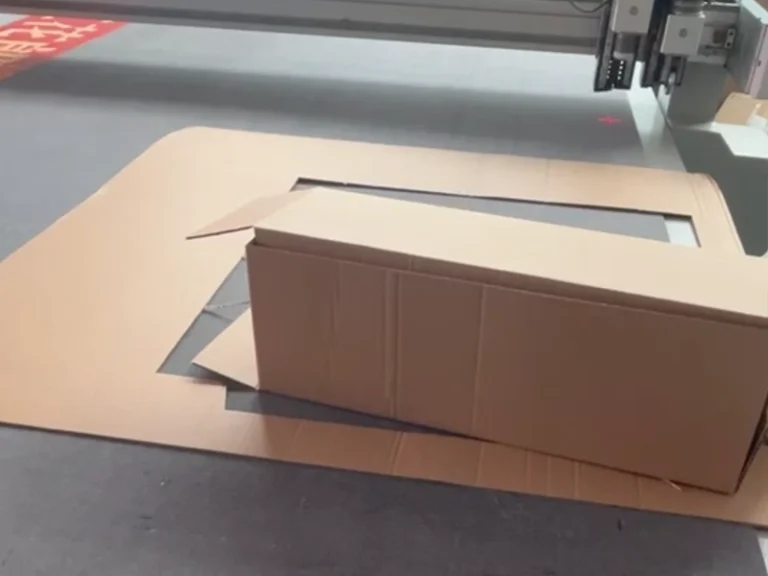
A carton sample maker is best for fast packaging prototypes. The goal is to turn a dieline file into a physical sample that can be folded, checked, adjusted, and approved.
This type of workflow is useful for:
- New carton structure tests
- Box size confirmation
- Folding and creasing checks
- Customer approval samples
- Packaging design revisions
- Low-volume sample requests
The value is speed. Instead of making a traditional die for every design change, the team can adjust the digital file and cut another sample. For designers and sample rooms, this shortens the approval cycle.
For JEKE’s packaging sample direction, review the CNC cardboard box sampling machine product page and the related carton box sample making machine guide.
What a Digital Die Cutter Is Best For
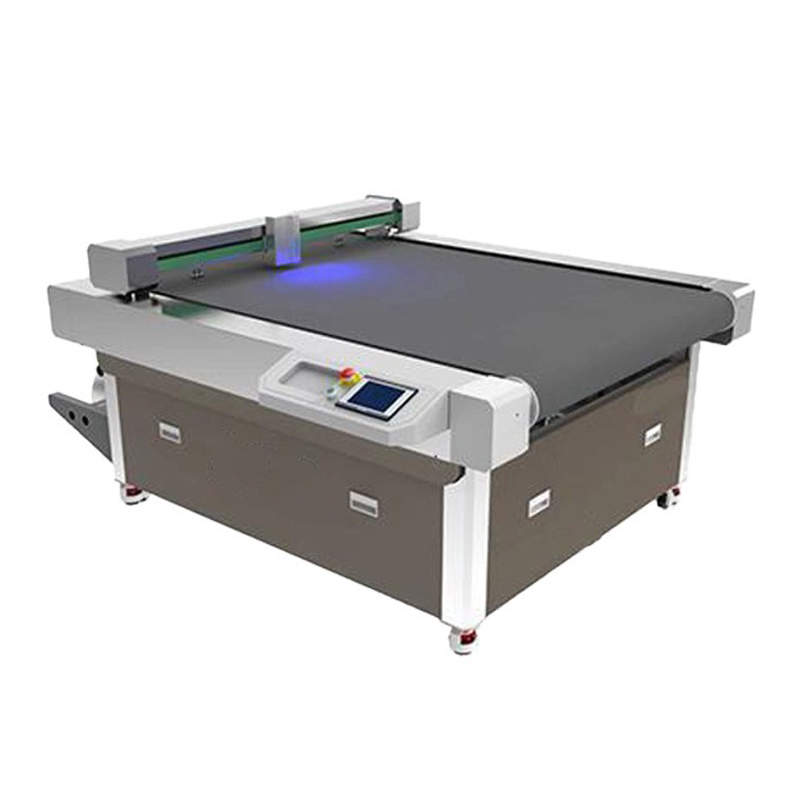
A digital die cutter is usually a broader production tool. It can support packaging samples, but it is also useful for short-run production, printed sheets, paperboard jobs, corrugated board, stickers, display materials, and other flat materials depending on the configuration.
The main advantage is flexibility across jobs. A print shop or packaging supplier may need to process different order sizes and different materials in the same week. A digital die cutter can reduce reliance on physical dies for small batches and repeated short-run jobs.
For printed packaging, a digital die cutter may also need camera positioning or registration marks. This helps align the cutting path to printed artwork when the print position has small variation.
If your team needs a broader packaging workflow rather than only one-off samples, review JEKE’s Digital Die-Cutting Machine category and the article on a digital die cutter for packaging.

Workflow Difference: Sample Approval vs Short-Run Jobs
The biggest difference is workflow.
A carton sample maker workflow often starts with a packaging designer or sample room. The team prepares a dieline, cuts and creases one or a few samples, checks the fold, adjusts the design, and sends the sample for approval.
A digital die cutter workflow may start from a confirmed design or a printed sheet. The team may need to run repeated small batches, switch between jobs, handle different materials, and keep output consistent. The operator may care more about job setup, camera alignment, tool presets, and repeatability.
This is why a buyer should describe the real workflow before asking for a price. A machine that is enough for prototype samples may not be enough for repeated printed short runs. A larger digital die cutter may be unnecessary if the team only needs occasional structural samples.
Cost Difference: What Really Changes the Quote
The cost difference is not only the machine price.
For packaging buyers, total cost includes:
- Physical die cost avoided or reduced
- Setup labor
- Sample approval speed
- Short-run quantity
- Tool configuration
- Table size
- Camera positioning system
- Software workflow
- Operator training
- Material waste during testing
A carton sample maker may be the lower-friction choice if the goal is fast prototypes and design approval. A digital die cutter may cost more depending on configuration, but it can make sense when the team needs more materials, more repeated jobs, printed registration, and short-run production flexibility.
The right comparison is not “which machine is cheaper?” The better comparison is “which machine reduces the total cost of our packaging workflow?”

Tool Configuration: Cutting, Creasing and Registration
Both workflows may need more than a cutting knife. Packaging often requires cutting and creasing in the same job.
A practical configuration may include:
- Knife tool for outer cutting
- Creasing wheel for folding lines
- Drawing or marking tool for sample notes
- Vacuum table for holding the sheet
- Camera positioning for printed sheets
- Software that separates cut lines and crease lines
If your packaging job uses corrugated board, the crease quality matters as much as the cutting edge. If your job uses printed sheets, registration accuracy can become the bigger issue. If your job includes small slots, handles, or locking tabs, the cutting path and tool setup must be tested with a real file.
For buyers comparing JEKE equipment, the JK-1300PRO Flat die cutting machine and JK-7090 Flatbed Cutting Machine are useful product directions.
Three Practical Buying Scenarios
Scenario 1: Packaging design team
A design team needs fast samples for customer approval. The same box may go through several size or structure changes before final confirmation.
In this case, a carton sample maker is usually the first direction to test. The key checks are dieline import, cutting accuracy, creasing quality, and how quickly the operator can adjust the file.
Scenario 2: Print shop with short-run packaging orders
A print shop may receive small orders for printed cartons, display cards, paperboard packaging, or promotional packaging. The design is often confirmed, but order sizes may not justify traditional dies.
In this case, a digital die cutter may be more suitable. The buyer should check camera positioning, repeatability, table size, job setup time, and how the machine handles different printed sheets.
Scenario 3: Corrugated supplier doing both samples and small orders
Some corrugated suppliers need both prototype samples and short-run cartons. They may start with sample making but later need repeated cutting and creasing for small orders.
For this mixed workflow, the buyer should avoid choosing a machine too narrowly. It may be better to test a flatbed digital cutter with the right tools, table size, and software workflow.
What to Send Before Asking for a Quote
To get a useful recommendation, send more than the machine name.
Prepare:
- Material type
- Sheet size
- Board thickness
- Dieline file
- Printed or unprinted material
- Sample volume
- Short-run quantity
- Creasing requirement
- Need for camera positioning
- Maximum carton size
- Current manual or die-cutting pain point
This information helps JEKE decide whether your workflow fits a carton sample maker, a flatbed cutter, or a broader digital die cutting configuration.
JEKE Recommendation
JEKE recommends choosing by workflow, not by machine name.
If your team mainly needs one-off packaging prototypes, focus on sample speed, dieline handling, and crease quality. If your team handles printed short runs, repeated small jobs, and mixed materials, focus on digital die cutting workflow, table size, camera positioning, and repeatability.
Send JEKE your material samples, dieline file, sheet size, target box size, and job quantity. Our team can help compare carton sample maker and digital die cutter options before you confirm the configuration.
For packaging sample testing or a configuration quote, contact JEKE with your project details.
FAQ
Is a carton sample maker the same as a digital die cutter?
Not always. A carton sample maker is usually focused on packaging prototypes and sample approval. A digital die cutter is a broader digital finishing system for samples, short runs, printed sheets, and mixed materials.
Which one is better for short-run packaging?
For repeated short-run packaging, a digital die cutter is usually the better first direction because it can support broader job types and workflow scalability.
Which one is better for box prototypes?
For one-off box prototypes and dieline testing, a carton sample maker may be enough. The key checks are cutting accuracy, creasing quality, and file workflow.
Do I still need traditional dies?
For samples and short runs, digital cutting can reduce the need for physical dies. For very large stable production, traditional die cutting may still make sense.
Do printed sheets need camera positioning?
Printed sheets may need camera positioning when the cutting path must align with printed graphics. This should be tested before confirming the machine.
What should I send to JEKE before asking for a quote?
Send material type, thickness, sheet size, dieline file, sample or production quantity, printed or unprinted material, and whether you need creasing or camera positioning.
Conclusion
Carton sample maker vs digital die cutter is a workflow decision. A carton sample maker fits fast prototypes, dieline tests, and design approval. A digital die cutter fits broader short-run packaging, printed sheets, repeat jobs, and mixed materials.
Before choosing, test your real material, dieline file, crease requirement, and target order quantity. The right configuration should reduce your setup time, avoid unnecessary die cost, and make packaging samples or short runs easier to manage.