A digital die cutter for packaging helps packaging teams cut and crease boxes, samples, displays and short-run custom packaging directly from digital files, without making a steel-rule die for every new design. It is especially useful when orders change often, buyers need prototypes quickly, or printed packaging must be finished in small batches.
The decision is not simply digital cutting or traditional die cutting. Most packaging businesses still need to think in terms of job mix: sample room work, customer approval samples, short-run packaging, printed mockups, SKU versioning and repeat production. A digital die cutter is strongest when flexibility matters more than the lowest possible unit cost on one stable design.
This article focuses on that purchasing decision: when a digital die cutting workflow fits packaging production, what operations and materials to check, and what information to prepare before asking JEKE for a recommendation.
What is a digital die cutter for packaging?
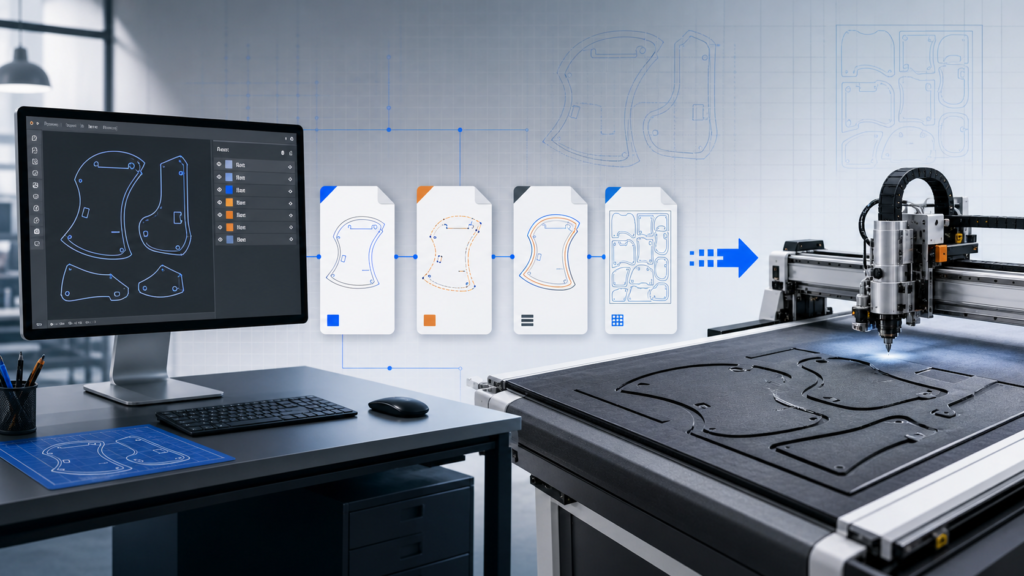
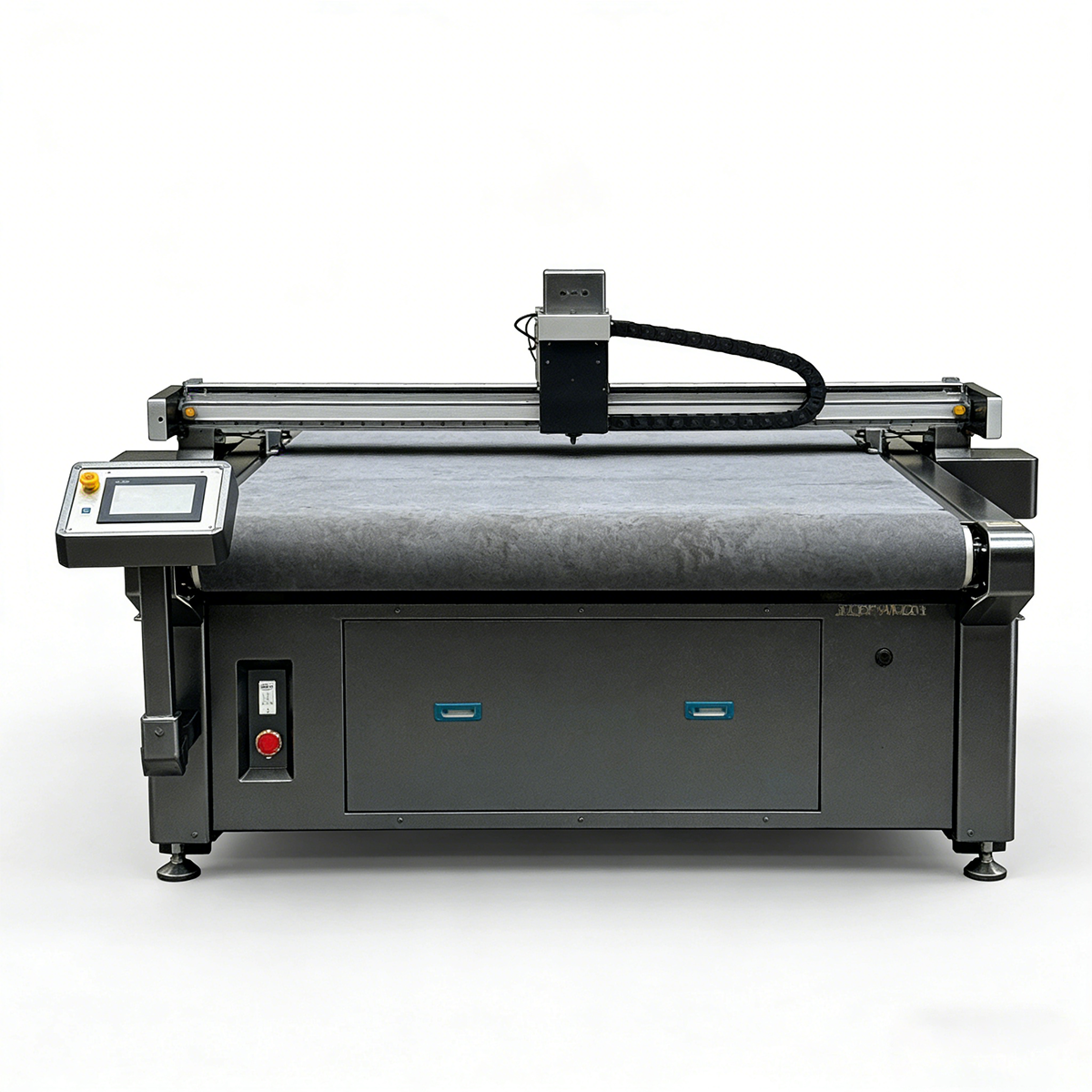
A digital die cutter for packaging is a computer-controlled cutting and creasing system that processes packaging materials from a vector file. Instead of using a physical steel-rule die, the machine follows the digital path to cut outer shapes, windows, slots, inserts, crease lines, perforation lines and other packaging details.
In the packaging industry, this type of machine may also be called a digital flatbed cutter, flatbed digital cutter, CNC cutting machine, digital cutting table, carton sample cutter or digital die-cutting machine. The exact name changes by supplier and market, but the core value is similar: the cutting path comes from software, so the operator can change the structure without remaking tooling.
For packaging teams, that matters because real projects rarely stay unchanged. A customer may approve the box shape, then request a different window, locking tab, insert shape, board grade, display size or printed artwork. With a digital workflow, the file can be adjusted and tested again before the business commits to a production die.
Digital die cutting vs traditional die cutting for packaging
Traditional die cutting is still important in packaging. A well-made die can be fast and cost-effective when the same design runs again and again at high volume. Digital die cutting solves a different problem: it reduces the friction of setup, tooling, revision and small-batch finishing.
| Decision point | Digital die cutting workflow | Traditional die cutting workflow |
|---|---|---|
| Tooling | No physical die required for each new design | Steel-rule die or other tooling usually required |
| Setup for new design | Import or adjust the digital file, then test cut | Make or modify the die before production |
| Design revisions | Faster file changes for prototypes and approvals | Die may need adjustment or remaking |
| Short runs | Strong fit when die cost is hard to justify | Unit cost can be high if tooling is only used once |
| High-volume repeat jobs | Useful for samples and mixed finishing, but may not be the fastest production path | Often better when one stable design runs in large quantities |
| SKU versioning | Good for many shapes, sizes or personalized batches | Multiple dies may be needed |
| Printed samples | Can pair with camera positioning for contour cutting | Depends on die registration and production setup |
| Storage | Digital files are stored in software | Physical dies need storage and management |
For many packaging companies, the best answer is not replacing one process completely. The practical answer is to use a digital die cutter for packaging development, samples, short runs and mixed jobs, while keeping traditional die cutting for stable long-run production.
Packaging jobs where digital die cutting fits best
Digital die cutting is strongest when packaging work is not fixed, not repetitive, or not yet approved. These are the situations where the ability to change a file can save more time than a faster production machine would.
Packaging prototypes and structural samples are the most obvious fit. A design team can cut a real carton, mailer, display base, divider or insert before investing in a die. If the flap length, lock, fold line or product fit is wrong, the file can be corrected and tested again.
Customer approval samples also benefit from digital cutting. Sales teams often need a physical sample to show structure, size, fold, print placement or product protection. A digital die cutter can help produce a sample for discussion before the buyer signs off on tooling or mass production.
Short-run custom boxes are another strong use case. If a print shop handles many small orders, seasonal packaging campaigns or local brand projects, a die for each design may not make sense. Digital cutting makes it possible to handle more shapes and revisions without building a large die inventory.
Printed mockups and display packaging may require cutting around printed artwork. In that case, the machine configuration should include a camera positioning or vision system, especially when the print may shift slightly on the sheet. This is common in display packaging, promotional packaging, labels, cards and printed paperboard samples.
SKU versioning is becoming more common as brands test smaller product runs, regional packaging, limited editions and personalized designs. If the printed artwork and structure both change, digital finishing becomes more valuable because the cutting workflow can follow the job file instead of a fixed die.
| Packaging job | Digital die cutter fit | Traditional die cutting fit | Buyer action |
|---|---|---|---|
| New box prototype | Very strong | Usually too early | Test the structure with real board |
| Customer approval sample | Strong | Useful after approval | Cut sample before die investment |
| Short-run custom packaging | Strong | Depends on repeat quantity | Compare tooling cost with run size |
| Seasonal or versioned SKUs | Strong | Multiple dies may be needed | Check how often shapes change |
| Printed display sample | Strong if camera positioning is included | Possible, but setup may be heavier | Confirm print-registration requirement |
| Stable high-volume box | Limited or supporting role | Strong | Use digital cutting for sample and revision work |
Materials and operations to check before choosing a machine
A digital die cutter for packaging should be evaluated by material, thickness, stiffness, coating and required operation. Two boards with the same thickness can behave differently if one is laminated, coated, recycled, fluted or very dense.
| Material or job type | Common packaging use | What to check |
|---|---|---|
| Corrugated board | Shipping boxes, mailers, carton prototypes | Flute type, board thickness, crease quality and cutting force |
| Cardboard / paperboard | Folding cartons, retail boxes, sleeves | Clean edges, accurate creasing and print alignment |
| Grey board | Rigid box samples and premium packaging | Tool force, V-grooving need and fold behavior |
| Honeycomb board | Protective packaging and heavy-duty panels | Thickness, stiffness and hold-down strength |
| Foam board / KT board | Displays, mockups and signs | Edge quality, board compression and tool choice |
| PVC sheet | Display parts, templates and specialty packaging | Thickness, rigidity and edge finish |
| Printed sheets | Display packaging, cards, stickers and mockups | Camera positioning, registration marks and contour cutting |
The operations matter as much as the material. A packaging sample normally needs more than one cutting action.
| Operation | What it does | Why it matters in packaging |
|---|---|---|
| Through cutting | Cuts the outside shape, windows or internal openings | Creates the final blank shape |
| Creasing | Presses fold lines without cutting through | Helps boxes fold cleanly |
| Half-cutting | Cuts part of the material thickness | Useful for stickers, labels and layered sheets |
| Perforation / dotted line cutting | Creates tear or fold-assist lines | Useful for tear-off features and sample testing |
| V-grooving | Removes a V-shaped channel from thick board | Helps thick boards fold at cleaner angles |
| Marking / drawing | Adds lines, labels or assembly marks | Helps sample review and production communication |
| Contour cutting | Cuts printed graphics by position | Useful for printed mockups and displays |
Before choosing a machine, packaging buyers should send real board or printed samples when possible. Material testing is the only reliable way to confirm cutting edge, crease depth, registration, holding method and tool configuration.
Machine configuration checklist for packaging buyers
A packaging cutting machine should match daily work, not just the largest board size in the catalog. The wrong configuration may still cut material, but it can slow the workflow or produce samples that do not fold correctly.
| Configuration point | What to ask | Why it matters |
|---|---|---|
| Working area | What is the largest sheet or finished blank size? | Prevents extra handling or split cutting |
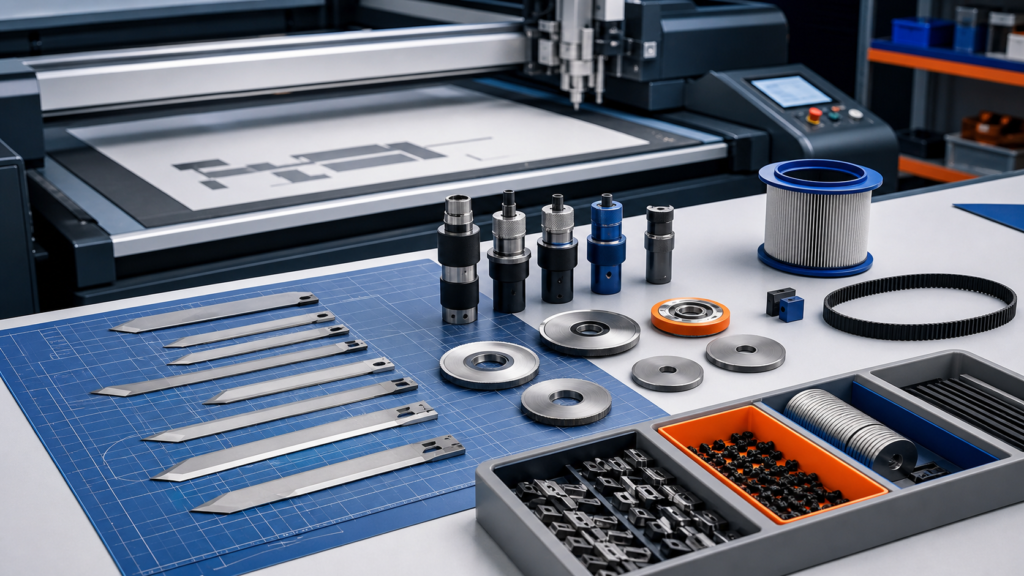
| Tool head | Does it support cutting, creasing and optional marking? | Packaging often needs several operations in one job |
| Creasing wheel | Which wheel fits the board thickness and fold requirement? | Crease quality affects assembly and appearance |
| Oscillating knife or other blade | Which tool fits the board, foam board or plastic sheet? | Tool choice affects edge quality and cutting stability |
| Camera positioning | Do printed sheets need contour cutting? | Required for many print-and-cut packaging workflows |
| Vacuum table | Can the table hold the material flat? | Poor holding can affect accuracy and repeatability |
| Feeding method | Manual sheet loading or automatic feeding? | Depends on sample room vs repeated production |
| File workflow | Which file formats and software steps are supported? | Reduces operator friction between design and cutting |
| Nesting and layout | Can jobs be arranged efficiently on the sheet? | Helps reduce waste in short-run work |
| Production target | How many sheets or jobs per day are expected? | Helps decide between entry, mid-level and automated setups |
For a packaging shop that mainly makes prototypes, a simple and reliable cutting-and-creasing setup may be enough. For a print shop handling many printed sheets, camera positioning and efficient job changeover may be more important. For a converter serving many customers, the priority may be tool flexibility across corrugated board, paperboard, foam board and printed materials.
JEKE’s relevant equipment categories include the digital die-cutting machine range and the broader digital cutting machine range. If your main work is carton structure testing, the cardboard box sampling machine may also be relevant.
When traditional die cutting is still the better choice
Digital cutting is flexible, but it is not automatically the best production method for every packaging order. Traditional die cutting can still be the better choice when the design is stable, the quantity is high and the same blank will run repeatedly.
In those cases, the cost of making a die can be spread across many units. The production line may already be optimized for that structure, and the per-piece cost can be lower once the setup is complete. A digital die cutter may still be useful for sample approval, urgent revisions, sales mockups or pre-production testing, but the final mass production may move to traditional equipment.
This is why packaging buyers should not choose only by machine name. Start by separating stable repeat work from changeable project work. If most work involves new designs, small batches, customer revisions, printed mockups and many SKUs, digital cutting deserves serious attention. If most work is one approved structure repeated in large volume, traditional die cutting may remain the main production path.
What to send JEKE for a sample test or quote
The fastest way to get a useful recommendation is to send job details that reflect real packaging work. A general question such as “Can this machine cut cardboard?” is too broad. A better inquiry shows the material, size, structure and production goal.
Prepare these details before asking JEKE:
- Material type: corrugated board, paperboard, grey board, foam board, PVC sheet, printed sheet or other material.
- Material thickness and board structure, such as flute type or laminated surface if relevant.
- Sheet size and finished packaging size.
- Cut and crease drawing, preferably with a DXF, AI, PDF, PLT or other usable vector file.
- Operations required: cutting, creasing, half-cutting, perforation, V-grooving, marking or contour cutting.
- Print-registration requirement, including whether sheets have registration marks.
- Typical order quantity and expected daily job volume.
- Revision frequency: whether designs change often or stay stable.
- Edge, fold and sample appearance requirements.
- Country, voltage and workshop conditions if the project is already at quote stage.
With this information, JEKE can review whether a digital die cutter for packaging, a carton sample maker or another digital cutting configuration is the better direction. The final recommendation should be based on material testing and workflow fit, not only on a machine model name.