If you work with fabric, leather, foam, corrugated cardboard, or printed signage materials, choosing the right cutting system directly affects product quality, labor cost, and production speed. A digital cutting machine for flexible materials is built to solve exactly that problem.
Unlike traditional manual cutting or fixed-tool workflows, a digital cutting machine gives manufacturers and converters a more flexible way to process short runs, custom orders, prototypes, and multi-material jobs. It is widely used in the advertising, packaging, apparel, and automotive interior industries because it combines precision, versatility, and automation in one platform.
In this guide, we will explain what a digital cutting machine is, which materials it can handle, what tool configurations matter most, and how to choose the right system for your production workflow.
At Dongguan Diaobao Automation Equipment Co., Ltd, the JEKE brand focuses on digital cutting solutions for flexible materials used in packaging, signage, apparel, and automotive interior production. That practical production background is also the perspective behind this guide.
What Is a Digital Cutting Machine?
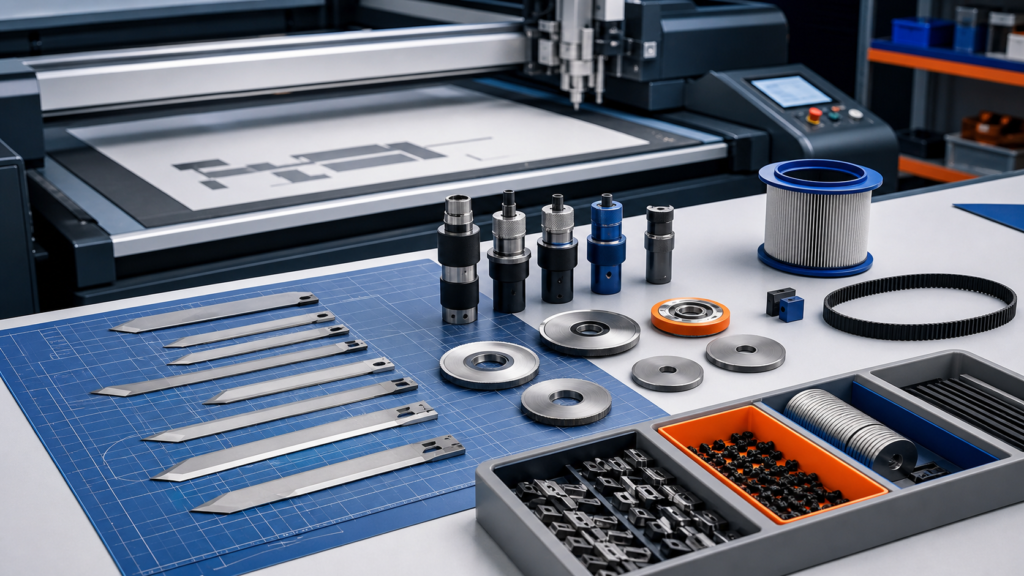
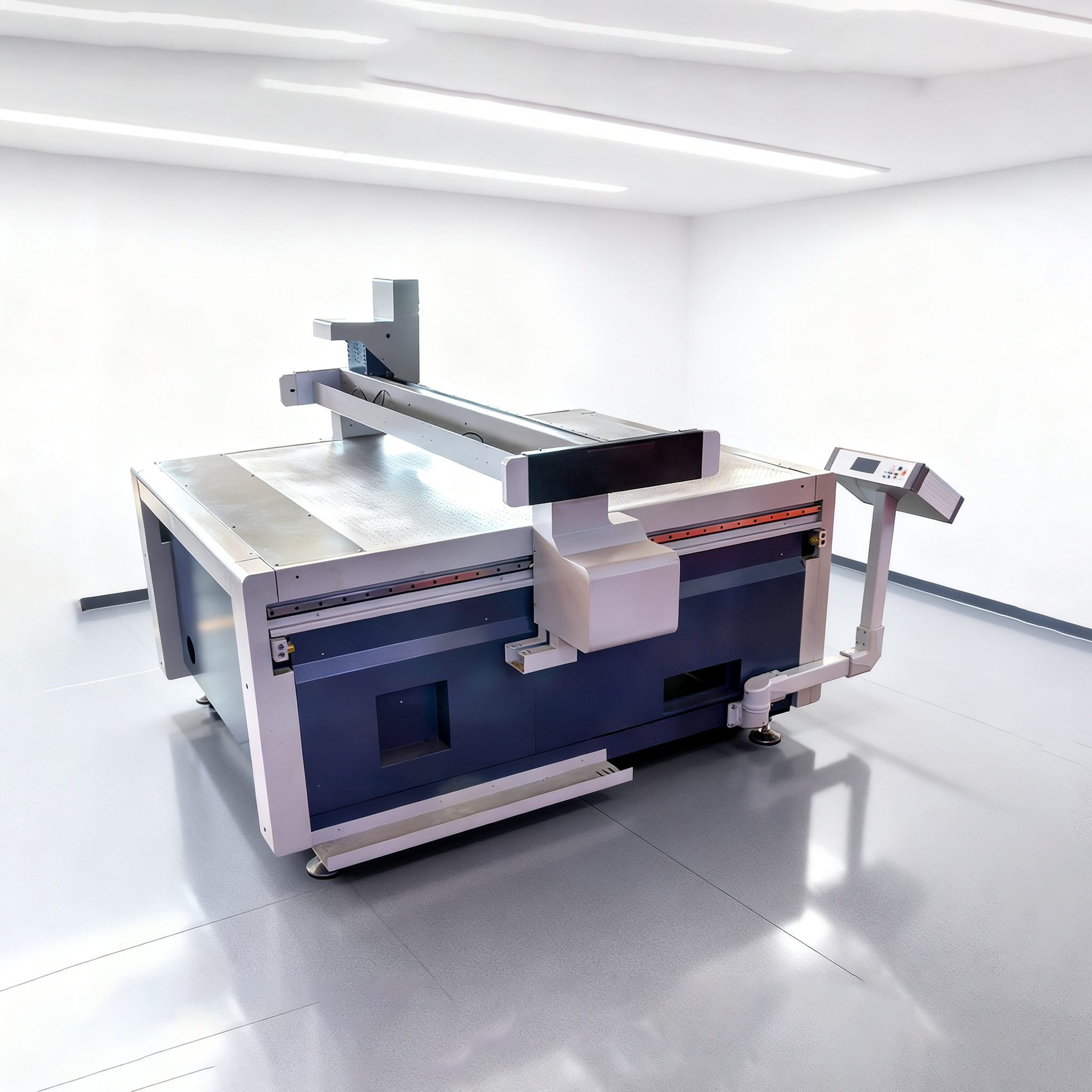
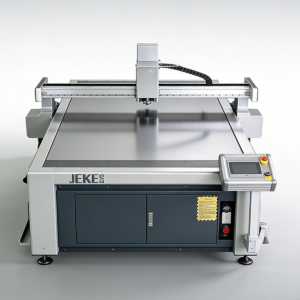
A digital cutting machine is a computer-controlled cutting system designed to process flexible and semi-rigid materials with high accuracy. Depending on the application, it may use an oscillating knife, drag knife, creasing wheel, kiss-cut tool, routing head, camera positioning system, or conveyor feeding system.
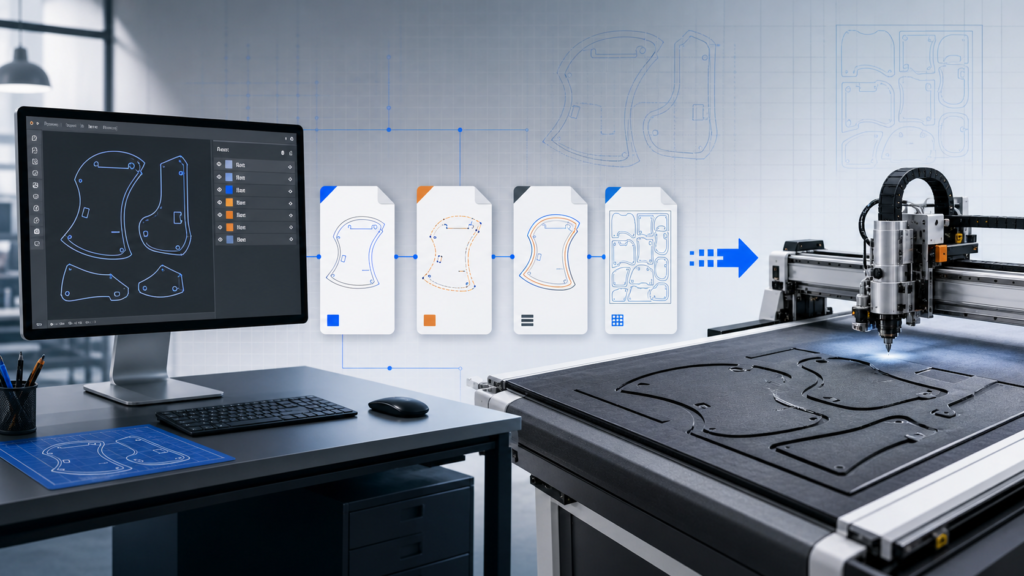
For manufacturers working with flexible materials, the biggest advantage is versatility. Instead of building separate manual processes for different jobs, you can use one digital platform to cut a wide range of materials and shapes from CAD files.
This is especially useful when you need to:
- produce samples quickly
- handle custom orders
- process multiple materials on one line
- reduce manual labor and cutting errors
- improve consistency in repeated jobs
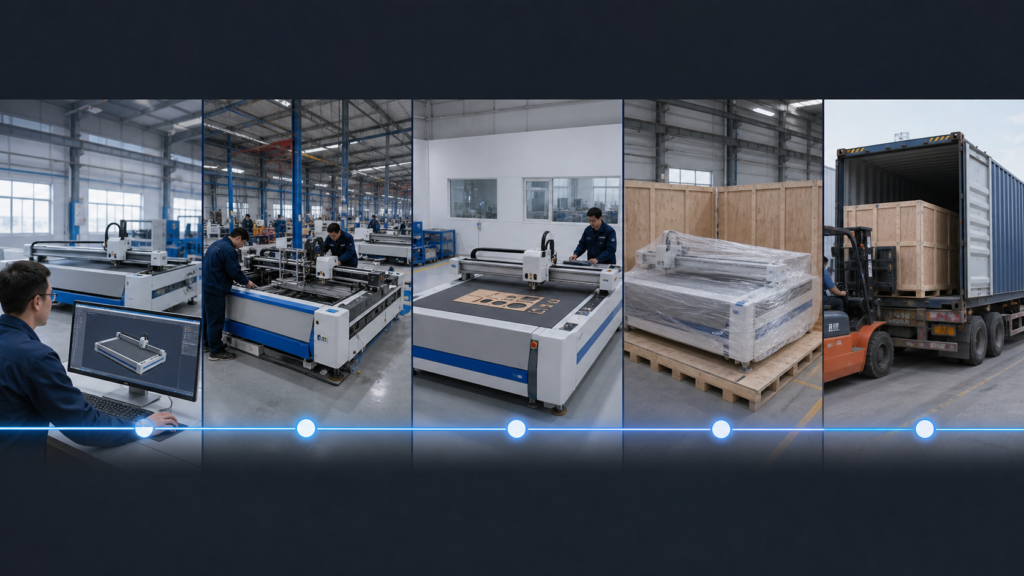
In many factories, a digital cutting machine becomes the bridge between design files and final production.
Which Flexible Materials Can a Digital Cutting Machine Cut?
One reason digital cutting equipment is growing in so many industries is that it can process a broad material range without the heat damage associated with some other cutting methods.
Fabric and Textiles
For apparel, technical textiles, and soft furnishings, digital cutting machines are often used for:
- cotton
- polyester
- canvas
- denim
- felt
- nonwoven materials
- textile composites
With the right knife and feeding system, the machine can cut single-layer or continuous-roll materials with strong repeatability. This is valuable for sample rooms, custom production, and short-to-medium batch manufacturing.
Leather and Synthetic Leather
Natural leather, PU leather, and other flexible interior materials require clean edges and shape accuracy. For automotive interior applications, an oscillating knife system is often preferred because it avoids burnt edges and heat marks that can affect appearance and quality.
Foam and Composite Materials
Foam is widely used in packaging inserts, advertising displays, protective solutions, and automotive interiors. A digital cutting machine can be configured to handle:
- EVA foam
- PE foam
- sponge materials
- acoustic foam
- laminated composites
This makes it suitable for manufacturers that need both precision profiles and fast material changeovers.
Corrugated Cardboard and Paperboard
For packaging companies, one of the biggest use cases is cutting corrugated board and paperboard for box samples, prototypes, and short-run production. A digital cutting machine can often perform both cutting and creasing, which reduces dependence on manual sample making and speeds up approval cycles.
Signage and Display Materials
In the advertising and display industry, digital cutting systems are commonly used for:
- PVC foam board
- reflective film
- printed vinyl
- adhesive materials
- cardboard display materials
- other sign-making substrates
With camera positioning, the machine can align cuts to printed graphics more accurately, which is important in print-and-cut workflows.
Which Industries Use Digital Cutting Machines?
Although the machine platform may be similar, the real buying logic depends on the industry and production process.
Advertising and Signage
Sign makers and display producers often deal with many material types in small batches. They need flexible cutting equipment that can switch between printed media, foam board, film, and display materials without long setup times.
For this industry, key requirements usually include:
- material versatility
- fast job switching
- accurate contour cutting
- camera positioning for printed graphics
Packaging
Packaging converters and sample departments use digital cutting machines to create:
- carton samples
- corrugated prototypes
- display packaging
- short-run custom packaging
The main value is speed. Instead of waiting for dies, packaging teams can move from design file to physical sample quickly. That improves communication with customers and shortens product development cycles.
Apparel and Textiles
For the apparel industry, cutting accuracy and labor efficiency are major drivers. A CNC fabric cutting system can reduce manual template cutting, improve repeatability, and support sample making or custom production.
When combined with conveyor feeding, the machine becomes more suitable for continuous material processing.
Automotive Interior
Automotive interior suppliers work with materials such as leather, foam, fabric, and layered composites. These applications demand accurate shapes, consistent nesting, and clean edge quality.
A digital cutting machine is often a good fit because it handles flexible materials without introducing thermal damage, while also supporting customized and frequently changing production patterns.
Main Tool Options and What They Do
A buyer should not evaluate the machine only by table size or motor power. Tool configuration has a major impact on what the machine can actually do.
Oscillating Knife
This is one of the most important tools for flexible materials. It is widely used for:
- textiles
- leather
- foam
- corrugated board
- many composite materials
It is especially valuable when clean edges and low material damage are priorities.
Drag Knife or Tangential Knife
These tools are often used for thinner flexible materials such as films, stickers, vinyl, and paper-based products. They are useful in signage, graphics, and packaging workflows.
Creasing Wheel
For packaging applications, cutting alone is not enough. A creasing tool helps create fold lines for cartons and display structures. If your main business is carton sample making, this feature is not optional.
Kiss Cut and Half Cut Tools
These are important for adhesive materials, labels, films, and layered media where only the top layer should be cut while the backing remains intact.
Routing or V-Cut Add-Ons
Some buyers need one machine to handle both flexible and selected semi-rigid materials. In that case, routing or V-cut capabilities may increase the value of the system, especially in signage and display applications.
How to Choose the Right Machine Configuration
A good machine decision starts with your workflow, not with the catalog.
1. Start With Your Material Mix
Ask:
- What materials do you cut every day?
- What material thickness range do you handle?
- Are your materials in sheets, rolls, or both?
- Do you need one machine for multiple product lines?
If your jobs include fabric, foam, corrugated board, and synthetic leather, you need a configuration that supports multiple tools and stable material handling.
2. Check Whether You Need Flatbed or Conveyor Feeding
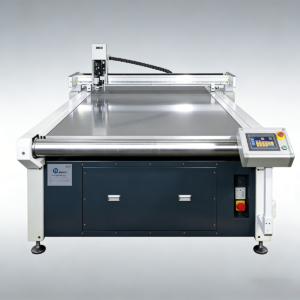
Flatbed systems are often suitable for sheet materials, samples, and smaller batch work. Conveyor systems are more suitable for roll-fed materials and continuous production, especially in textile and interior applications.
If your workflow includes long fabric rolls or repetitive leather jobs, conveyor feeding can improve throughput significantly.
3. Evaluate Camera Positioning Requirements
If you produce printed graphics, packaging mockups, or contour-cut jobs, camera positioning can improve cutting accuracy and reduce manual alignment. This is especially relevant in advertising and packaging.
4. Match Tooling to Actual Production
Do not buy a machine that only looks versatile on paper. Confirm which tools are required for your main jobs:
- oscillating knife for foam, leather, textiles, corrugated board
- creasing wheel for cartons
- kiss cut for films and adhesive materials
- routing tool if you also process selected rigid display materials
5. Review Software Compatibility
The machine is only as efficient as the workflow around it. For packaging, CAD file compatibility matters. For apparel and interiors, nesting and pattern handling matter. For signage, print-and-cut alignment matters.
Ask whether the software supports your existing design and production process instead of forcing your team into a new workflow.
6. Consider Service, Training, and Upgrade Path
Many buyers focus too much on initial price and too little on support. In practice, downtime, spare parts, training, and software support affect long-term value more than a low purchase price.
You should evaluate:
- after-sales service speed
- spare parts availability
- training support
- software updates
- future tool expansion
Common Mistakes Buyers Make
Buying Only by Price
The cheapest machine may not support the materials, tools, or workflow your business actually needs. A lower price can become more expensive if it creates quality issues, downtime, or manual workarounds.
Ignoring Material Diversity
Some buyers focus on one current material and forget that production often expands. If you serve multiple customers or industries, versatility matters.
Underestimating Workflow Automation
A machine is not just a cutting table. Camera systems, conveyor feeding, nesting software, and tool switching all affect real productivity.
Overbuying Features You Will Not Use
At the same time, not every factory needs every advanced option. The goal is not to buy the most complex system. The goal is to buy the right system for your production model.
How a Digital Cutting Machine Improves Speed, Accuracy, and Labor Efficiency
When selected correctly, a digital cutting machine can improve operations in several ways:
- reduce manual cutting labor
- improve dimensional accuracy
- shorten sample turnaround time
- lower material waste through better nesting
- support customized and short-run production
- improve consistency across repeated jobs
For packaging, this means faster sample approval. For apparel, it means more stable cutting quality. For signage, it means cleaner contour cutting and easier material switching. For automotive interiors, it means better repeatability on complex flexible materials.
That is why more manufacturers are moving from manual or fragmented workflows to integrated digital cutting systems.
How to Decide If This Type of Machine Fits Your Business
The right question is not “What is the best machine on the market?” The right question is:
What machine configuration best matches our materials, workflow, order type, and production goals?
If you are evaluating suppliers, prepare these points before requesting a quote:
- materials you cut
- thickness range
- sheet or roll format
- sample making or production use
- daily output target
- required tool types
- whether you need camera positioning
- whether you need conveyor feeding
That information makes it easier to receive a useful recommendation instead of a generic sales reply.
Conclusion
A digital cutting machine for flexible materials is not a single-purpose device. It is a production platform that can support multiple materials, tools, and industries when configured correctly.
For advertising companies, it improves print-and-cut flexibility. For packaging teams, it speeds up sample making and short-run work. For apparel factories, it improves cutting efficiency. For automotive interior suppliers, it supports precise processing of leather, foam, and composite materials.
If your business is growing beyond manual cutting, fixed templates, or slow outsourced sampling, a digital cutting system may be the next practical step.
The best way to choose the right model is to start with your real materials and workflow. Once those are clear, the right table format, tool combination, and automation level become much easier to define.
If you want a more practical next step, the JEKE team at Dongguan Diaobao Automation Equipment Co., Ltd can evaluate your material list, thickness range, feeding method, and production targets, then suggest a machine configuration that fits your workflow without over-specifying the system.
FAQ
What is the difference between a digital cutting machine and a laser cutter?
A digital cutting machine usually uses mechanical tools such as an oscillating knife, drag knife, or creasing wheel. A laser cutter uses heat to cut material. For many flexible materials, a digital knife system is preferred because it avoids burnt edges, smoke, and heat damage.
Can one digital cutting machine cut fabric, foam, leather, and cardboard?
Yes, if the machine is configured with the right tools and table setup. The exact material range depends on tool head options, feeding method, thickness range, and software support.
Which industries benefit most from digital cutting machines?
The main industries include advertising and signage, packaging, apparel and textiles, and automotive interiors. The machine is especially useful where multiple materials, custom orders, or sample production are common.
Do I need camera positioning on a digital cutting machine?
You usually need camera positioning if your workflow involves printed graphics, contour cutting, or registration-based jobs. It is especially useful in signage and packaging applications.
Is a conveyor system necessary?
Not always. Conveyor feeding is most useful when you process roll materials or want continuous production. For sheet-based sample work, a flatbed configuration may be enough.